Relay for macOS

One tab for one project. Its windows, agents and time live inside it.

Relay is a free Mac app for people who work on several projects at once with AI agents. Each project becomes one relay: its editor, browser and terminal windows gather there, the agents working for it show up in a tab at the edge of the screen, and their working time is logged on its own.

macOS 14 or later · Apple silicon · Free · Automatic updates

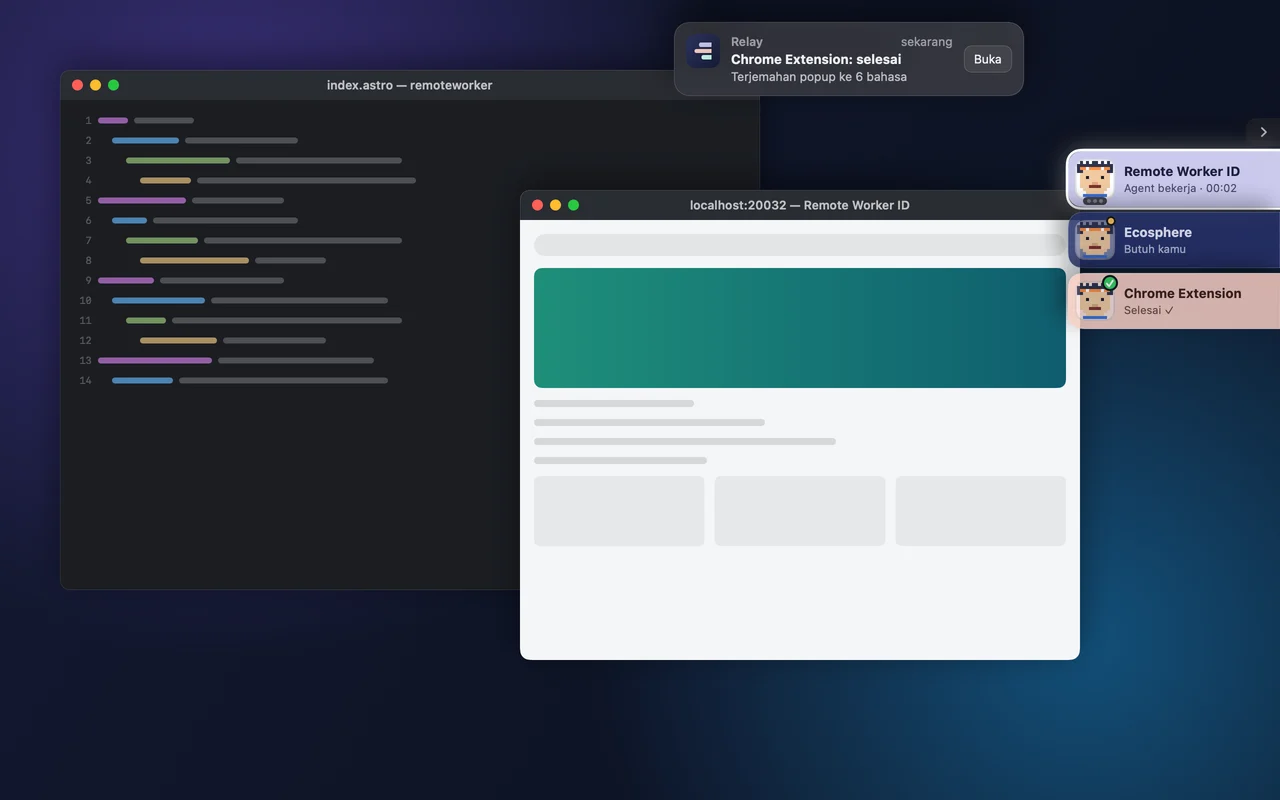
Relay on macOS: the Remote Worker ID, Ecosphere and Chrome Extension tabs on the right edge of the screen

Why we built Relay

In a single day we work on three projects at once: the Remote Worker ID site, the Ecosphere platform, and a Chrome extension for Upwork. Each has its own editor, browser and terminal, and in every terminal an AI agent is at work.

The result is one desktop full of windows piled on top of each other. An agent's notification says it is done, but done in which project? An agent's question sinks behind other windows. Switching projects means hunting down a dozen windows again, one by one.

We tried what already exists. Spaces and Mission Control know nothing about projects. Stage Manager and window tools like Rectangle only arrange positions. None of them knows an AI agent is working, when it needs an answer, or how long it has worked for a given project. So we built the tool we needed ourselves.
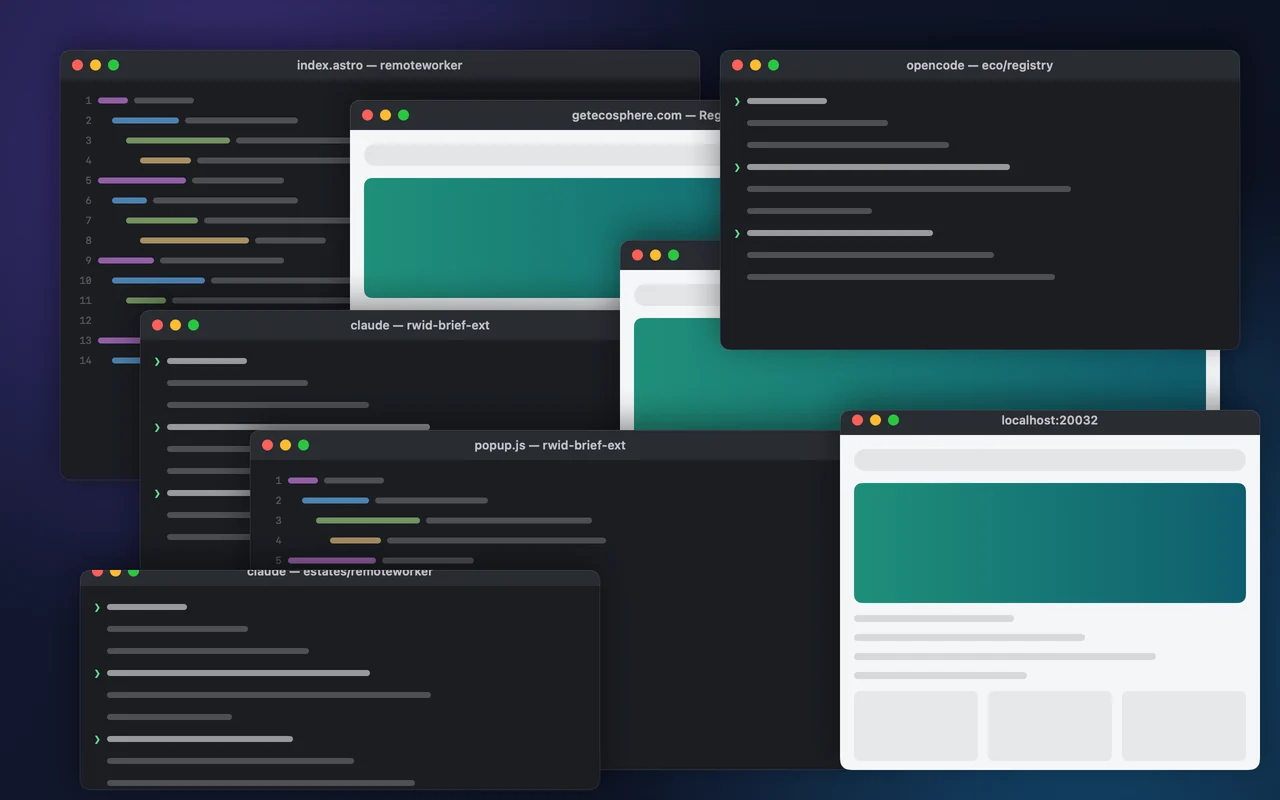
Before Relay: windows from three projects piled on one desktop

How Relay solves it

Every feature came from a real problem we hit while working with AI agents on a Mac.

One relay for one project

Create relays named Remote Worker ID, Ecosphere and Chrome Extension. Windows you open join the active relay. When you switch relays, the other project's windows step aside, then come back exactly where they were when you return.

Relay: One relay for one project

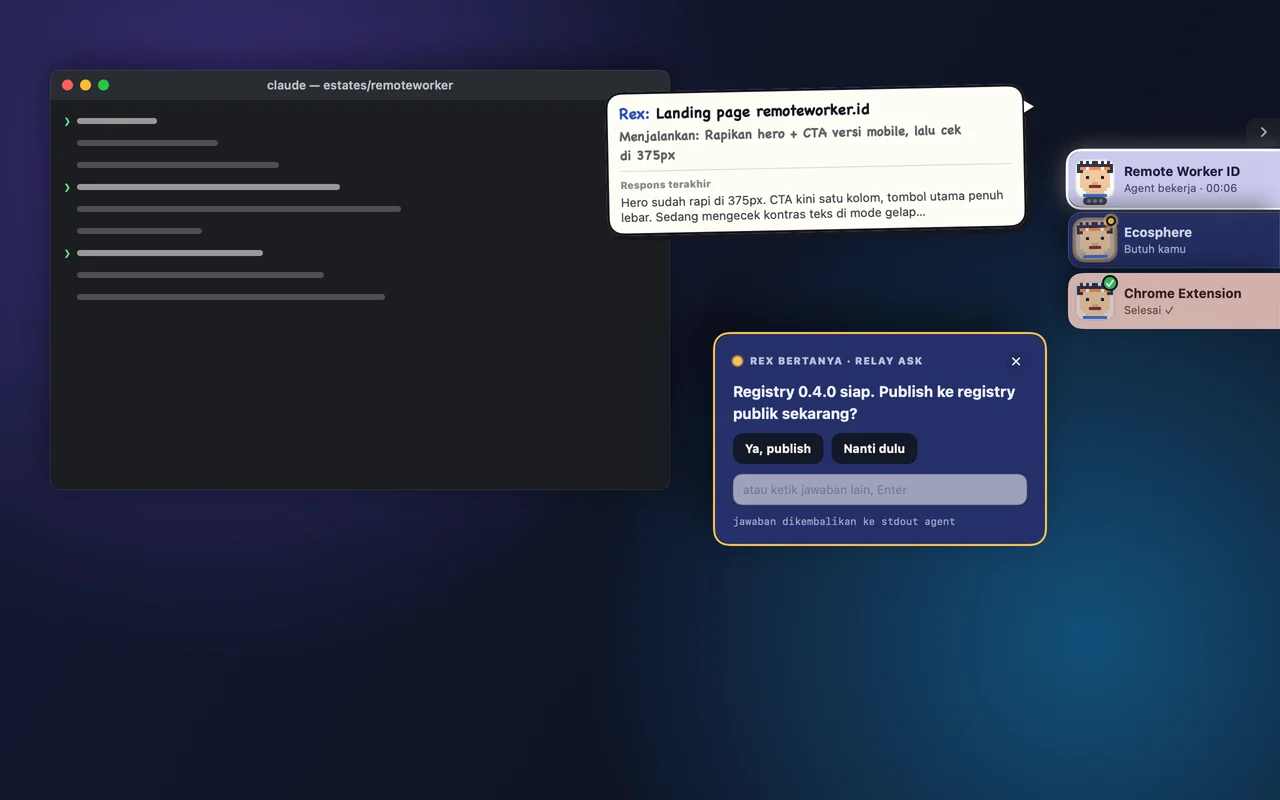
Agents report to the right tab

Claude Code and opencode connect once during setup. Each agent reports to its project's relay: working, needs you, or done. Hover a tab to see the full prompt and the agent's latest reply live, then answer its question right from the card without hunting for its terminal.

Relay: Agents report to the right tab

Switch projects with one key

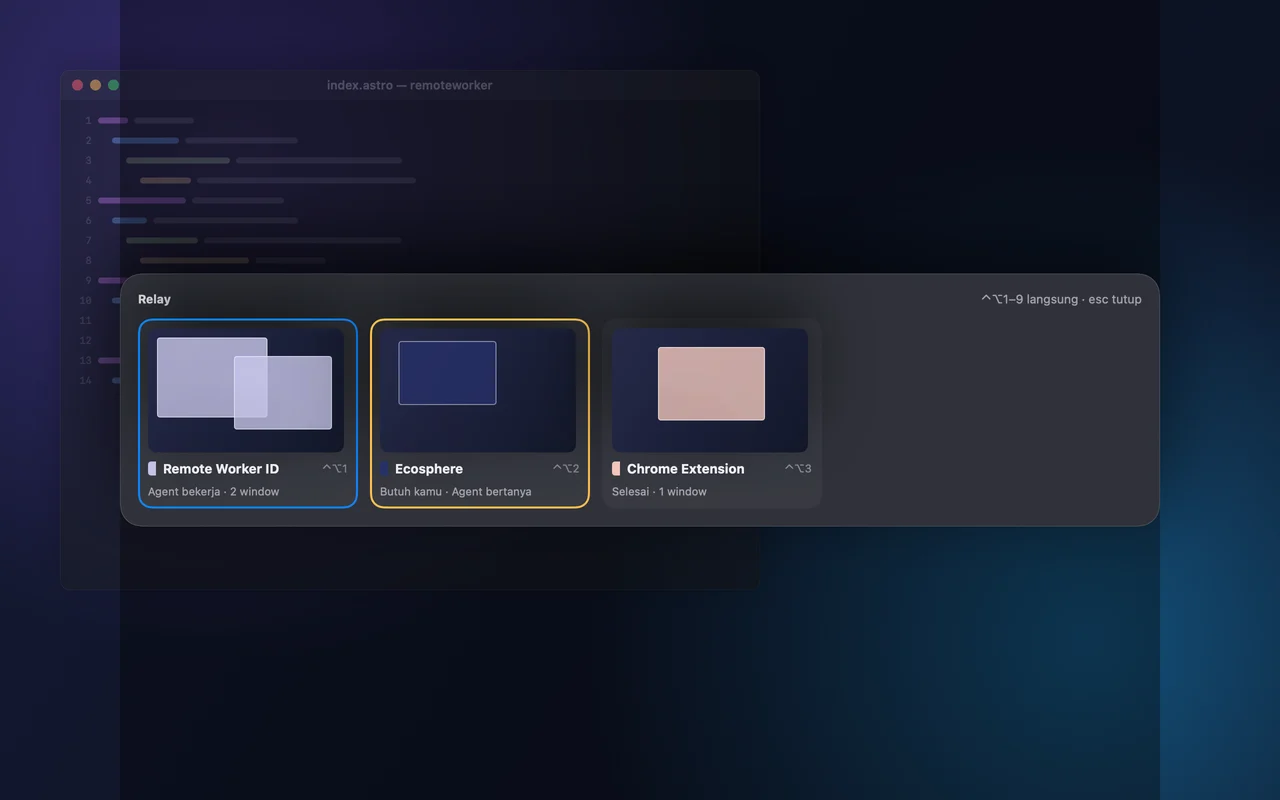
⌃⌥1 to ⌃⌥9 open a relay directly, or open the switcher to see every project with its agents' status. Tabs can sit on the right, left, top or bottom of the screen, and you reorder them by dragging.

Relay: Switch projects with one key

Working time logs itself

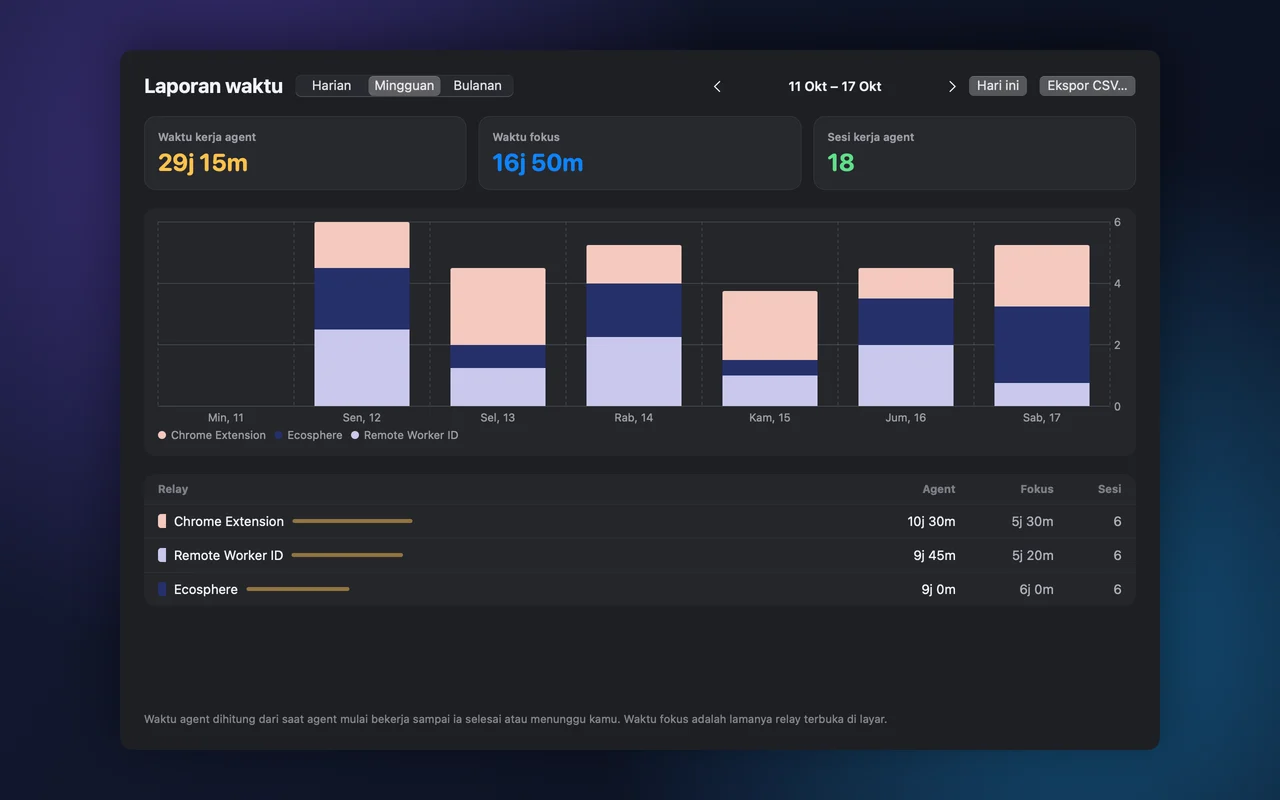
Relay records how long agents work for each project, from the moment they start until they finish or wait for you. Daily, weekly and monthly reports export to CSV for client invoices.

Relay: Working time logs itself

Get started in three steps

  1. 1

    Download and install

    Download the DMG, then drag Relay to Applications. The first time you open it, allow it via System Settings → Privacy & Security → Open Anyway.

  2. 2

    Grant access and connect your agents

    Relay asks for Accessibility permission to manage windows, then installs the Claude Code hooks and the opencode rules for you.

  3. 3

    Create your first relay

    Name it after the project. Start an agent from the project's folder, and it appears in the right tab.

Your data stays on your Mac

Relays, windows and time records are stored on your own Mac. You need no account to use it. An RWID account is only used if you want to buy crew avatars with ekoin.

Automatic updates

Relay checks for new versions in the background and installs them itself. Every update is signed with our key, with no annoying dialogs.

Questions about Relay

Is Relay free?

Yes. Relay is free to download and use. Extra crew avatars can be bought with ekoin, entirely optional.

Why does macOS warn me the first time I open Relay?

Relay is not notarized by Apple yet. Open System Settings → Privacy & Security, then click Open Anyway. You only need to do this once.

Which agents are supported?

Claude Code and opencode connect automatically. Other agents can report through the relay command in the terminal.

Which Mac do I need?

A Mac with Apple silicon (M1 or later) running macOS 14 Sonoma or later.

Which languages are supported?

Indonesian, English, Malay, German, French and Arabic.

Tidy up your Mac today.

Free. Download it, create a relay for each project, and let your agents report to the right place.