
Right from Finder
Right-click an .md file and choose Open With → MarkDown Viewer, or double-click it. Select a file and press space for Quick Look with the same rendering.
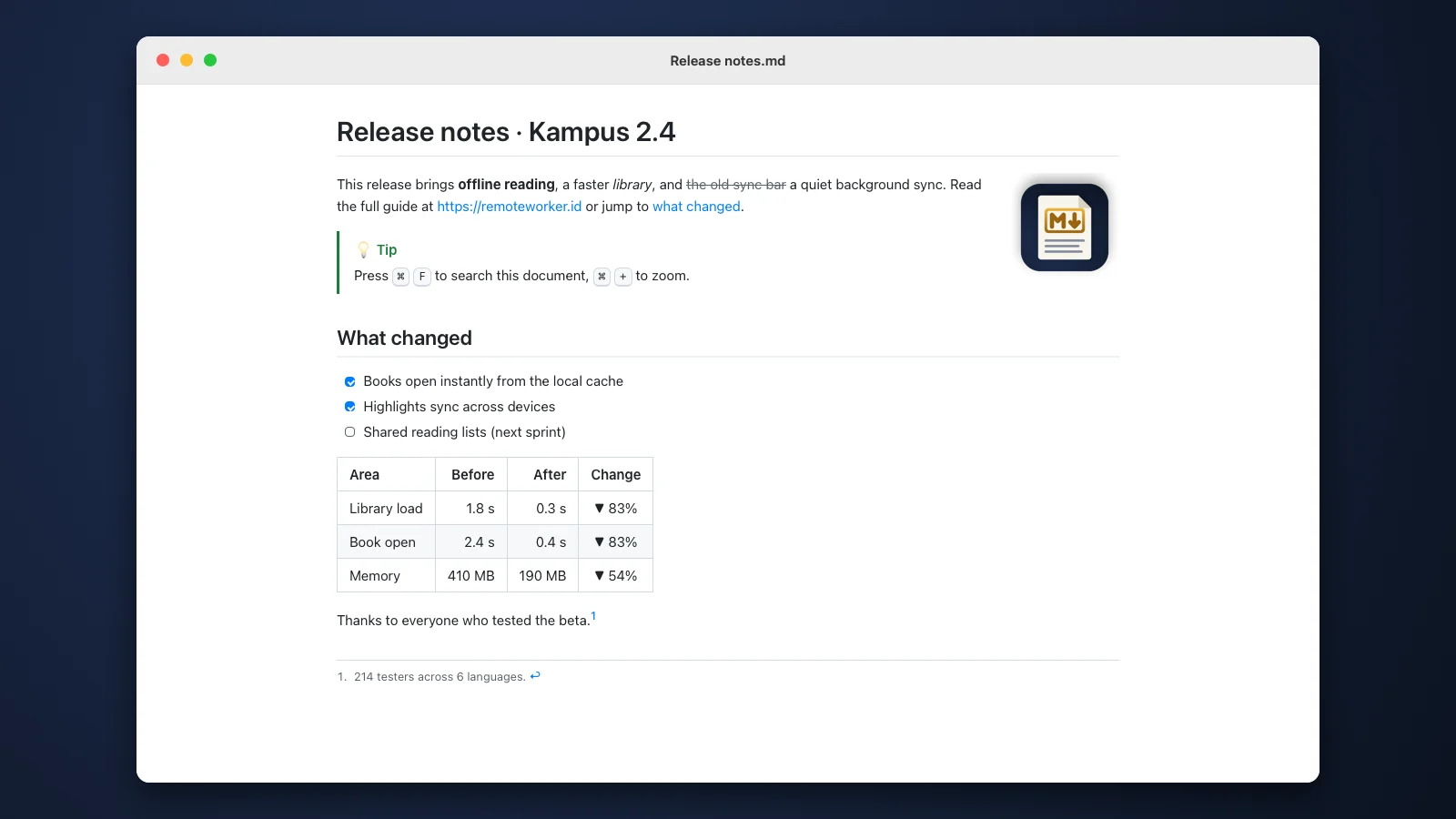
Headings, bold and italic, links, tables with column alignment, task lists, footnotes and NOTE/TIP/WARNING boxes render cleanly. Images in the same folder show too.
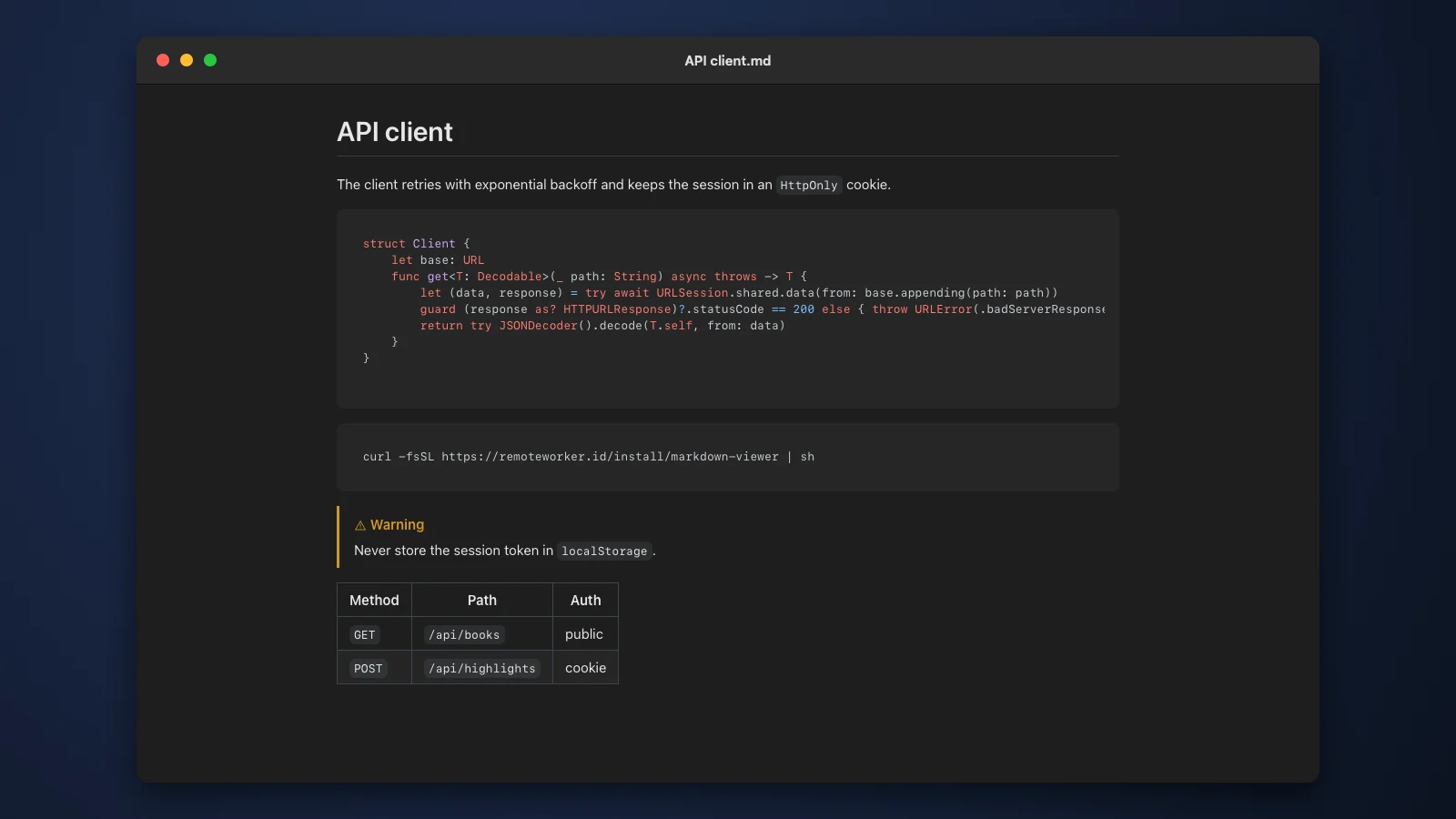
Code blocks are highlighted for about 40 languages. The look follows macOS light or dark mode and your accent color.
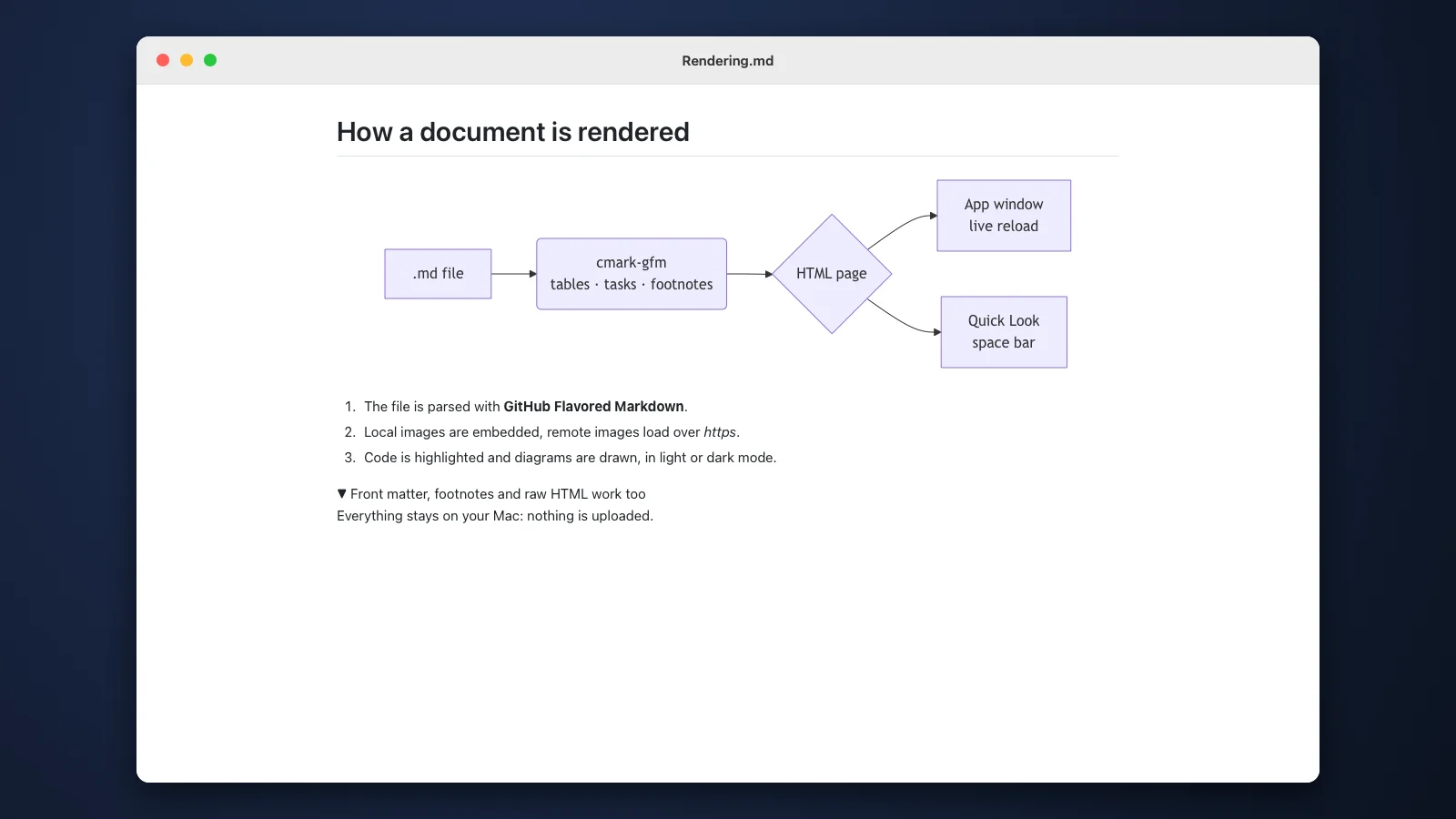
A mermaid block becomes a flowchart, sequence or Gantt diagram, with no extension or online service.
 MarkDown Viewer for macOS
Read Markdown files beautifully, right from Finder.
MarkDown Viewer is a free Mac app that shows .md files the way GitHub does. Right-click a file and open it with MarkDown Viewer, or press space for Quick Look. Images, tables, task lists, highlighted code and diagrams all show.
macOS 14 or newer · Apple silicon · Free · Quick Look · Dark mode
Almost everything we write at RW/ID is Markdown: class notes, documentation, work plans and reports from AI agents. On a Mac, an .md file opens as raw text full of hashes and asterisks, and Quick Look shows only plain text.
Existing Markdown editors are too heavy just for reading, and opening GitHub to view one local file is a hassle. So we built a small viewer: right-click, choose MarkDown Viewer, and the document looks the way it does on GitHub.
Small, fast and made for one thing: reading Markdown comfortably.
Right-click an .md file and choose Open With → MarkDown Viewer, or double-click it. Select a file and press space for Quick Look with the same rendering.
GitHub Flavored Markdown: tables, task lists, strikethrough, autolinks, footnotes, HTML such as details and kbd, front matter and NOTE/TIP/WARNING boxes.
Images with relative or absolute paths show up, in Quick Look too. Images from the internet load over https.
When the file changes, for example written by an editor or an AI agent, the view updates by itself and keeps its scroll position.
⌘F searches the document, ⌘+ and ⌘− change the size, ⌘P prints or saves as PDF. Web links open in your browser, links to other .md files open in MarkDown Viewer.
A document can never run scripts, and nothing is uploaded. Everything is read on your own Mac.
Open Terminal, paste the command below and press Enter. MarkDown Viewer is installed in Applications.
Choose Open With → MarkDown Viewer. To always open .md files here, use Get Info → Open with → Change All.
Select an .md file in Finder and press space. Quick Look shows the rendered document right away.
Paste into Terminal (Apple silicon Mac, macOS 14 or later):
curl -fsSL https://remoteworker.id/install/markdown-viewer | shYes. MarkDown Viewer is free to download and use, with no account.
No, MarkDown Viewer is for reading. Press ⇧⌘E to open the same file in your default editor; MarkDown Viewer updates whenever you save.
Open MarkDown Viewer once, then check System Settings → General → Login Items & Extensions → Quick Look and make sure MarkDown Viewer is on.
No, if you install it with the command above. MarkDown Viewer is not notarized by Apple yet, but files downloaded from Terminal get no quarantine flag, so macOS opens it straight away.
A Mac with Apple silicon (M1 or later) running macOS 14 Sonoma or later.
Run the install command again.
Free. Install with one command, then right-click any .md file.