Relay for macOS

One tab for one project. Its windows, agents and time live inside it.

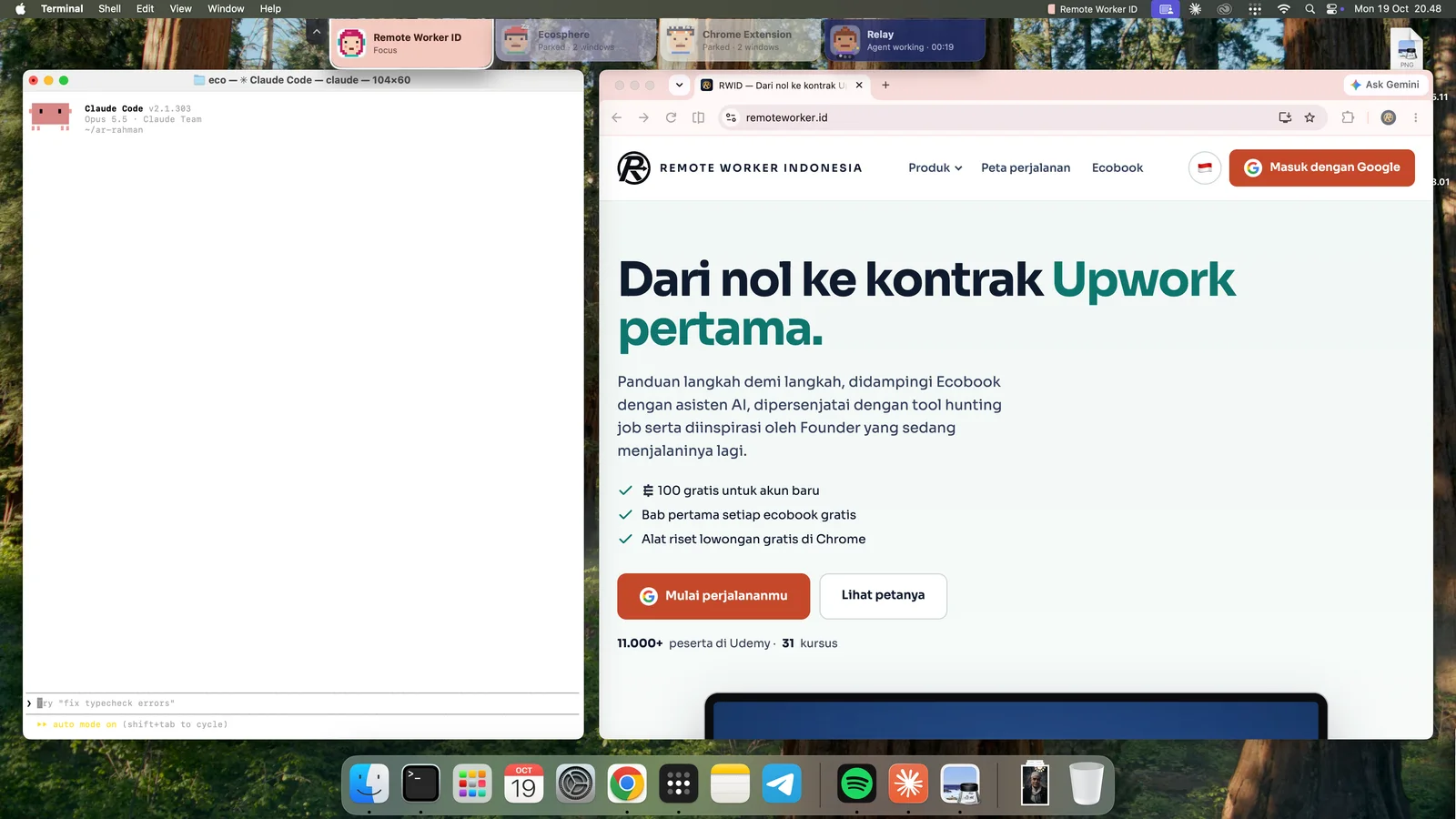
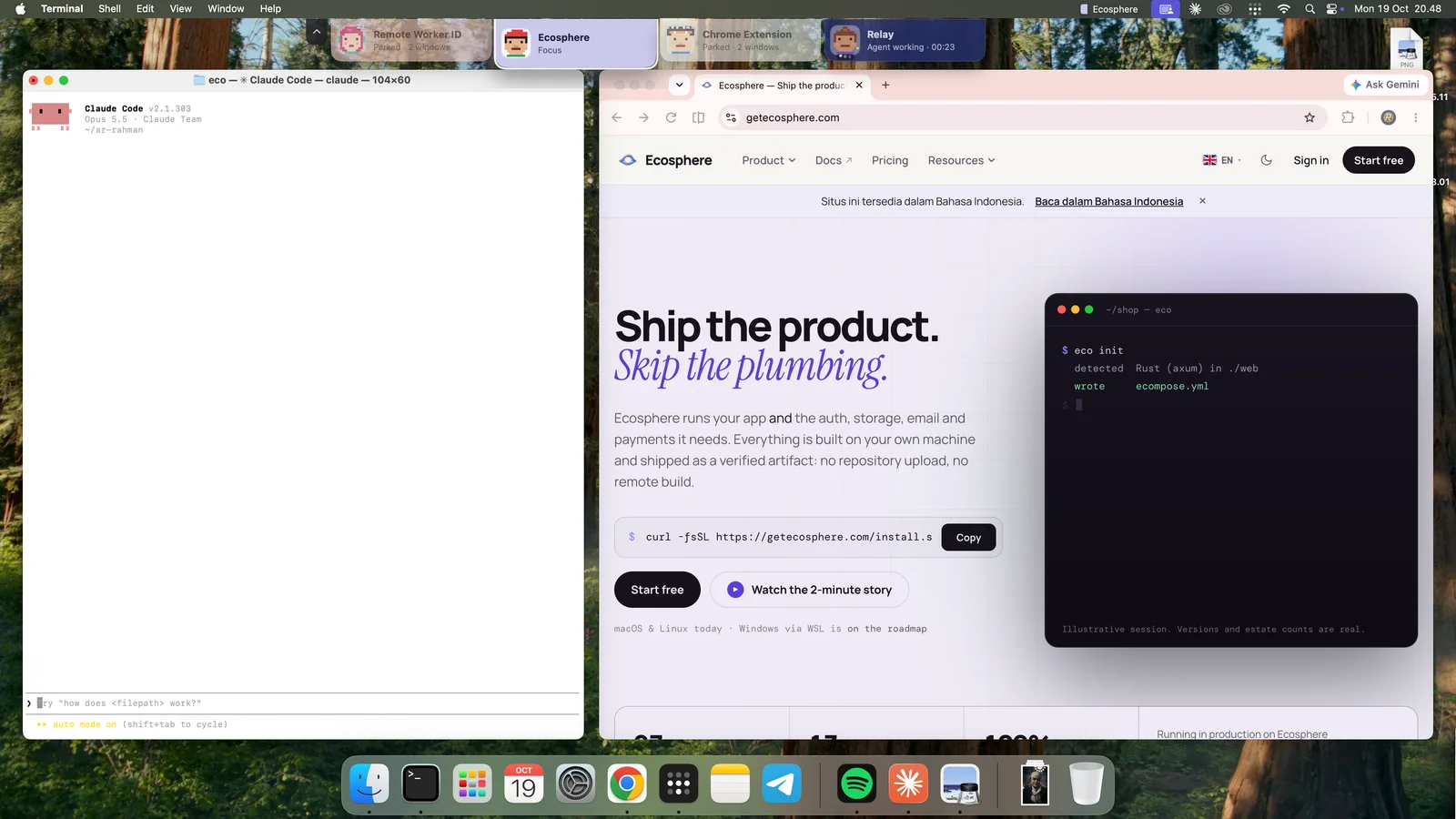
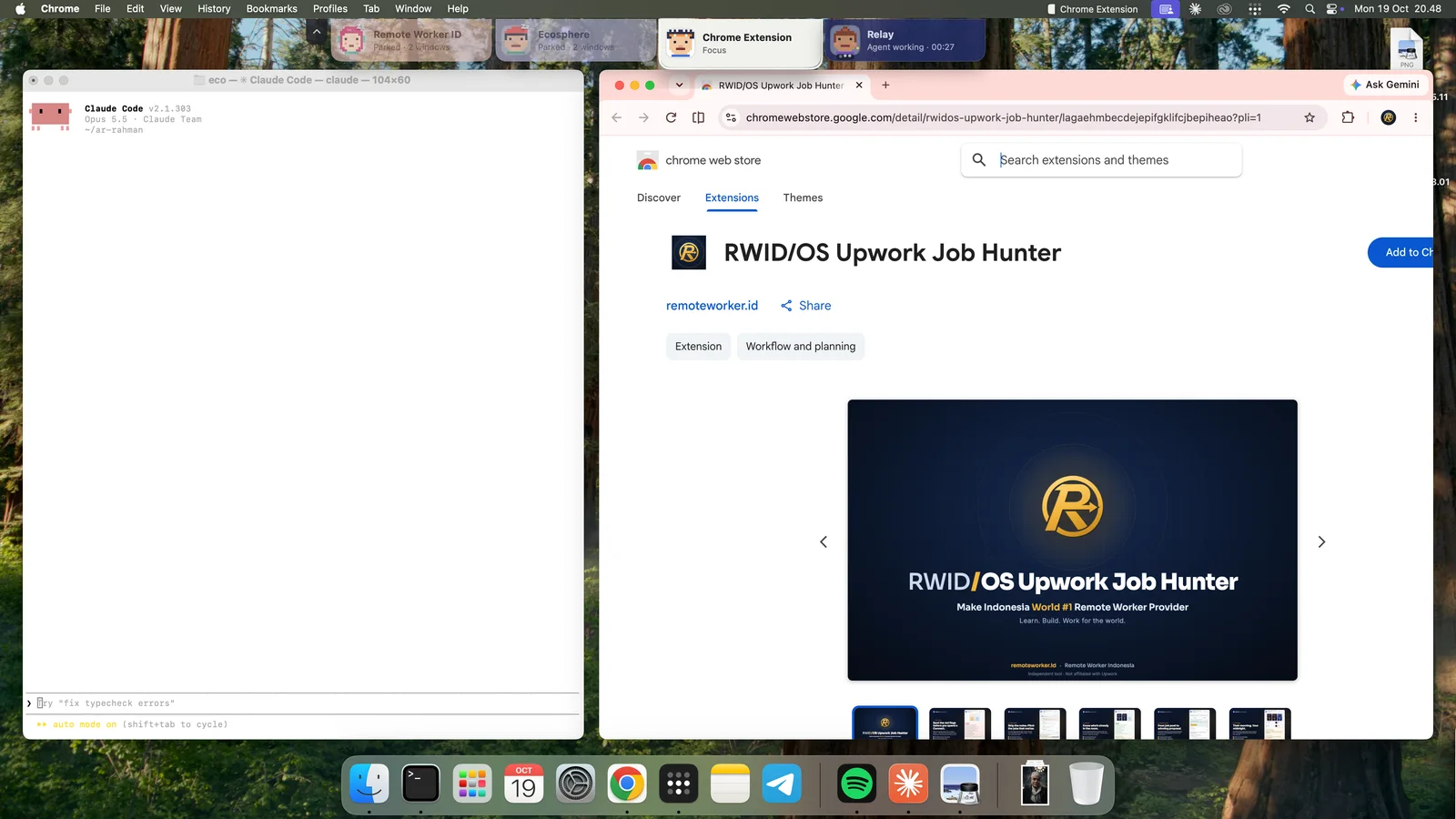
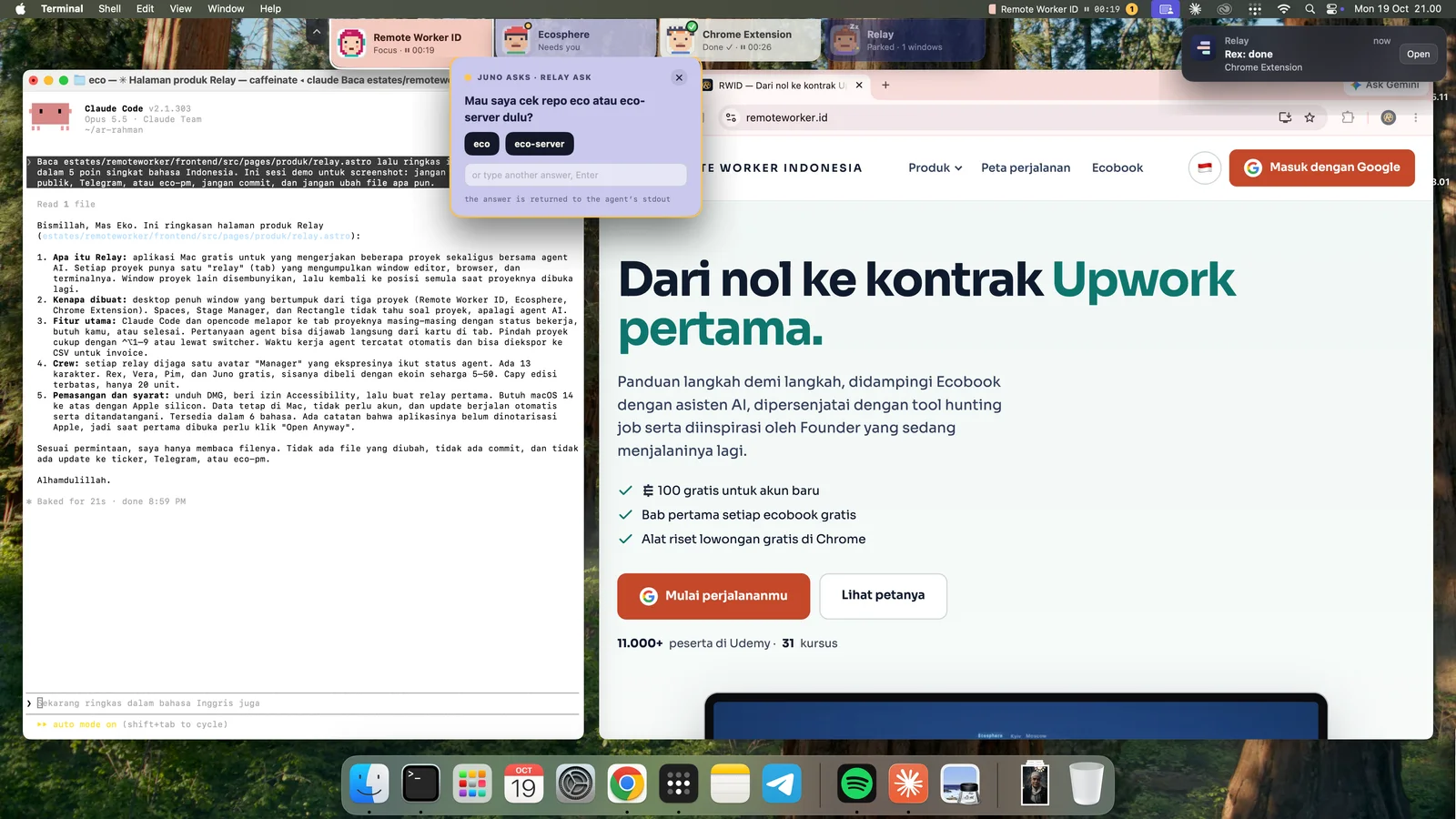
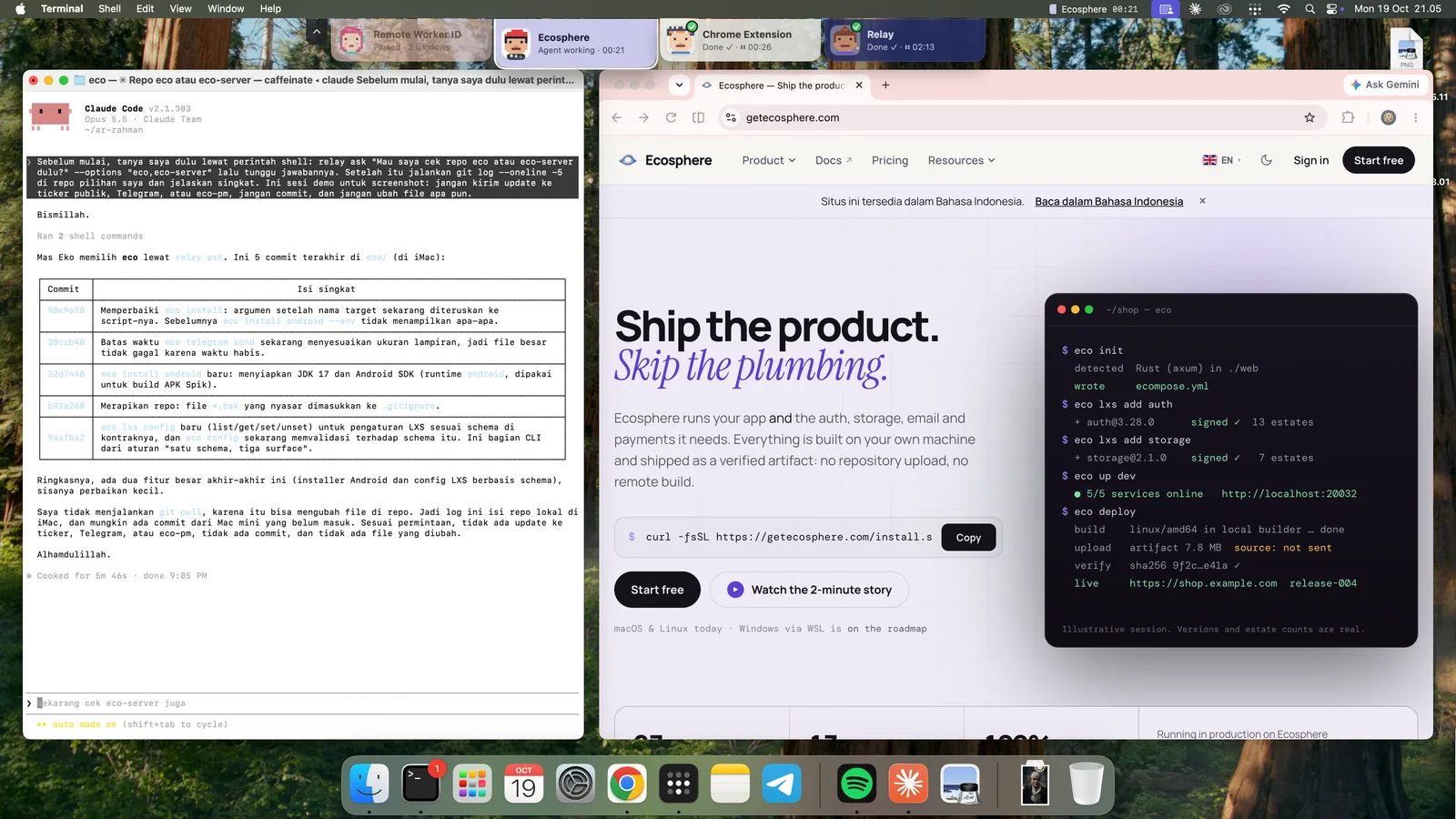
Relay is a free Mac app for people who work on several projects at once with AI agents. Each project becomes one relay: its editor, browser and terminal windows gather there, the agents working for it show up in a tab at the edge of the screen, and their working time is logged on its own.

macOS 14 or later · Apple silicon · Free · Automatic updates

Why we built Relay

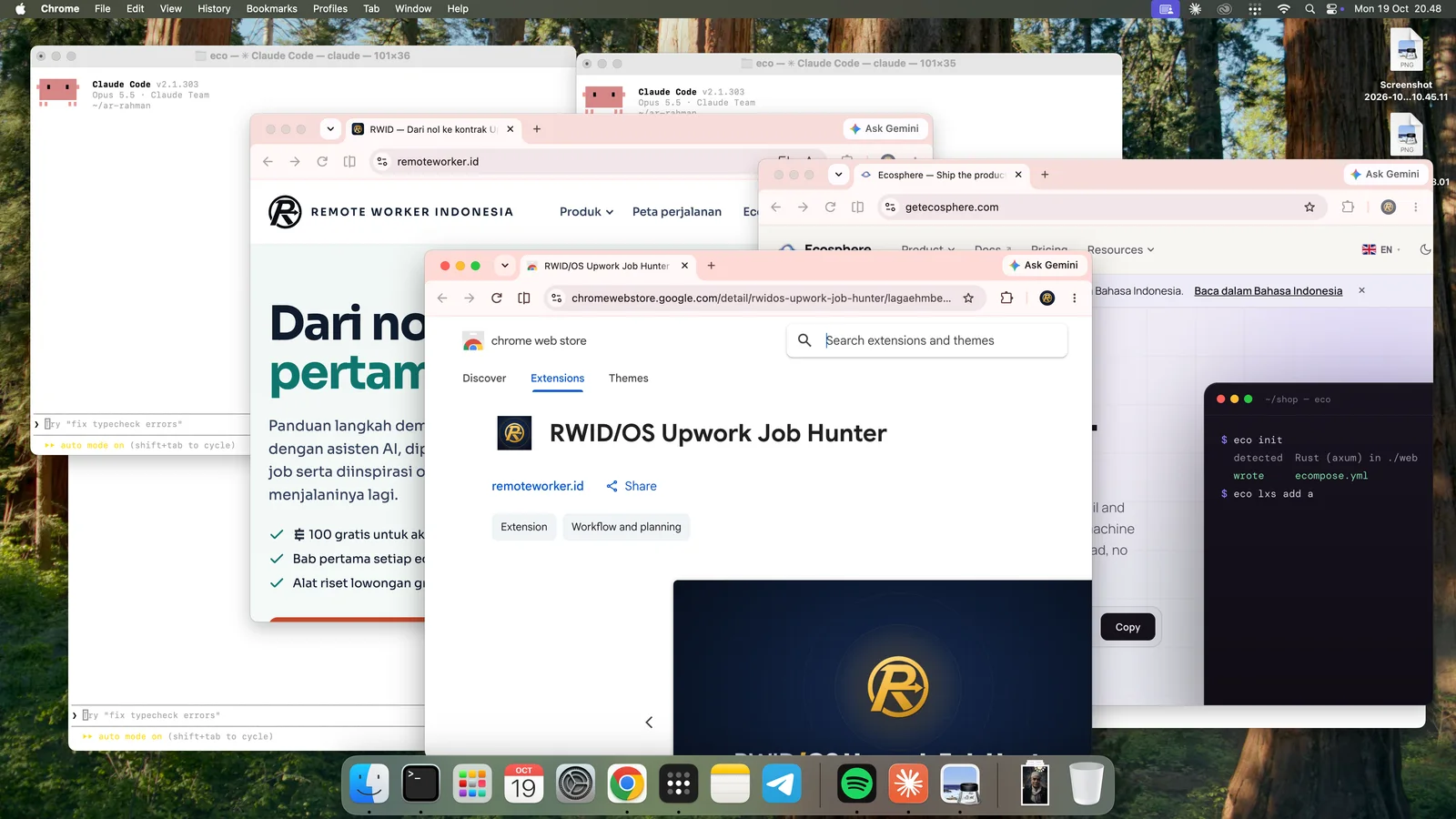
In a single day we work on three projects at once: the Remote Worker ID site, the Ecosphere platform, and a Chrome extension for Upwork. Each has its own editor, browser and terminal, and in every terminal an AI agent is at work.

The result is one desktop full of windows piled on top of each other. An agent's notification says it is done, but done in which project? An agent's question sinks behind other windows. Switching projects means hunting down a dozen windows again, one by one.

We tried what already exists. Spaces and Mission Control know nothing about projects. Stage Manager and window tools like Rectangle only arrange positions. None of them knows an AI agent is working, when it needs an answer, or how long it has worked for a given project. So we built the tool we needed ourselves.

How Relay solves it

Every feature came from a real problem we hit while working with AI agents on a Mac.

One relay for one project

Create relays named Remote Worker ID, Ecosphere and Chrome Extension. Windows you open join the active relay. When you switch relays, the other project's windows step aside, then come back exactly where they were when you return.

Agents report to the right tab

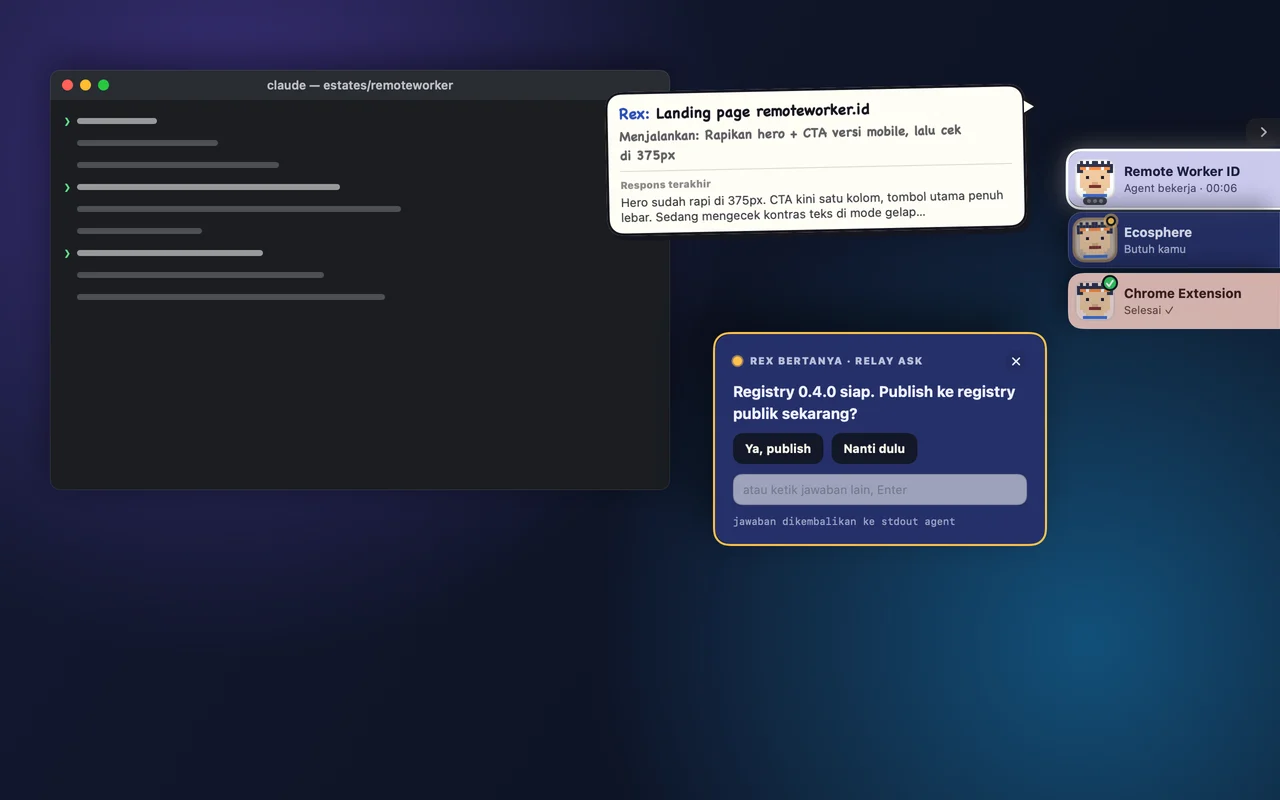
Claude Code and opencode connect once during setup. Each agent reports to its project's relay: working, needs you, or done. Hover a tab to see the full prompt and the agent's latest reply live, then answer its question right from the card without hunting for its terminal.

Switch projects with one key

⌃⌥1 to ⌃⌥9 open a relay directly, or open the switcher to see every project with its agents' status. Tabs can sit on the right, left, top or bottom of the screen, and you reorder them by dragging.

Working time logs itself

Relay records how long agents work for each project, from the moment they start until they finish or wait for you. Daily, weekly and monthly reports export to CSV for client invoices.

Meet the Crew

Every relay is looked after by a Manager. Its face follows the agent's status: relaxed when idle, busy while working, restless when it needs you, asleep when parked, and delighted when done. The animations below use the app's own frames.

  • Rex

    Rex

    Free

    The server keeper. The orange headband means he's ready to stay late for your builds and deploys.

  • Vera

    Vera

    Free

    Pink hair, launch spirit. Vera looks after your landing page until the CTA button is just right.

  • Pim

    Pim

    Free

    Hair in a bun, tidy notes. Pim makes sure the sprint gets closed and no task slips through.

  • Juno

    Juno

    Free

    Red cap, sharp words. Juno keeps the agent company while it writes proposals and cover letters.

  • Bima

    Bima

    $0.29

    Rex's twin, with a light-blue headband. Perfect if you run two servers at once.

  • Sari

    Sari

    $0.29

    A teal headscarf, calm but meticulous. A good fit for writing relays and client communication.

  • Kiko

    Kiko

    $0.49

    A smile as wide as the Deploy button. His expression follows the agent: serious while working, startled when it needs you.

  • Momo

    Momo

    $0.49

    Round glasses and an ID card that never comes off. The most expressive project manager on the team.

  • Aiko

    Aiko

    $0.99

    Anime style with a star hair clip. She blinks now and then, so your tab feels alive.

  • Ren

    Ren

    $0.99

    Headset always on, ready for platform work. Ren blinks while he waits, too.

  • Dimas

    Dimas

    $1.79

    Realistic style. Dimas breathes slowly and blinks, like a real teammate in the corner of your screen.

  • Laras

    Laras

    $1.79

    Realistic style, headscarf, calm. Laras breathes and blinks while she sees your web launch through.

  • Capy

    Capy

    $2.79

    The most laid-back capybara in the world, limited to 20. When the agent finishes, the orange on its head bounces; when the relay is parked, Capy falls asleep.

Rex, Vera, Pim, and Juno are free from day one. Other Managers are bought in the Crew Shop with Credit; Credit earned from activity may pay at most half the price.

Get started in three steps

  1. 1

    Install with one command

    Open Terminal, paste the command below and press Enter. Relay is installed in Applications and opens right away.

  2. 2

    Grant access and connect your agents

    Relay asks for Accessibility permission to manage windows, then installs the Claude Code hooks and the opencode rules for you.

  3. 3

    Create your first relay

    Name it after the project. Start an agent from the project's folder, and it appears in the right tab.

Paste into Terminal (Apple silicon Mac, macOS 14 or later):

curl -fsSL https://remoteworker.id/install/relay | sh

Your data stays on your Mac

Relays, windows and time records are stored on your own Mac. You need no account to use it. An RW/ID account is only used if you want to buy crew avatars with Credit.

Automatic updates

Relay checks for new versions in the background and installs them itself. Every update is signed with our key, with no annoying dialogs.

Questions about Relay

Is Relay free?

Yes. Relay is free to download and use. Extra crew avatars can be bought with Credit, entirely optional.

Does macOS show a warning when Relay opens?

No, when you install it with the command above. Relay is not notarized by Apple yet, but a file downloaded in Terminal gets no quarantine flag, so macOS opens it right away.

Which agents are supported?

Claude Code and opencode connect automatically. Other agents can report through the relay command in the terminal.

Which Mac do I need?

A Mac with Apple silicon (M1 or later) running macOS 14 Sonoma or later.

Which languages are supported?

Indonesian, English, Malay, German, French and Arabic.

Tidy up your Mac today.

Free. Install with one command, create a relay for each project, and let your agents report to the right place.