
Trust Check
Red flags and green flags in plain language: brand-new accounts, mass invites, requests to move off Upwork. Read from the signals the page already shows, with no guesswork.
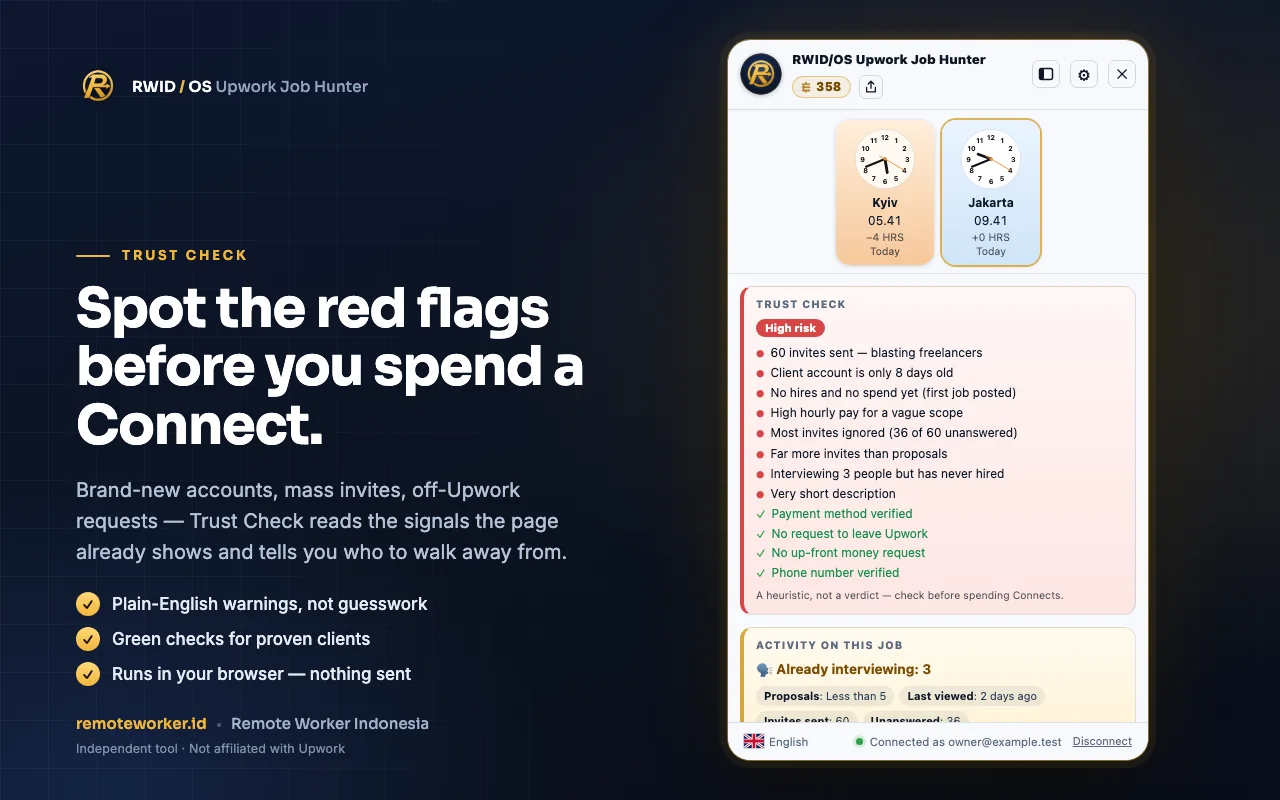
Spot bad jobs before your Connects go to waste.
A free Chrome extension that works right on Upwork pages. It reads client red flags, filters out jobs that are not worth it, shows the client's time zone, then sends the jobs you pick to RW/ID OS to study and draft proposals.
Chrome extension · Free to install · Not affiliated with Upwork
Everything appears on the Upwork page you have open, right when you need to decide.
Red flags and green flags in plain language: brand-new accounts, mass invites, requests to move off Upwork. Read from the signals the page already shows, with no guesswork.
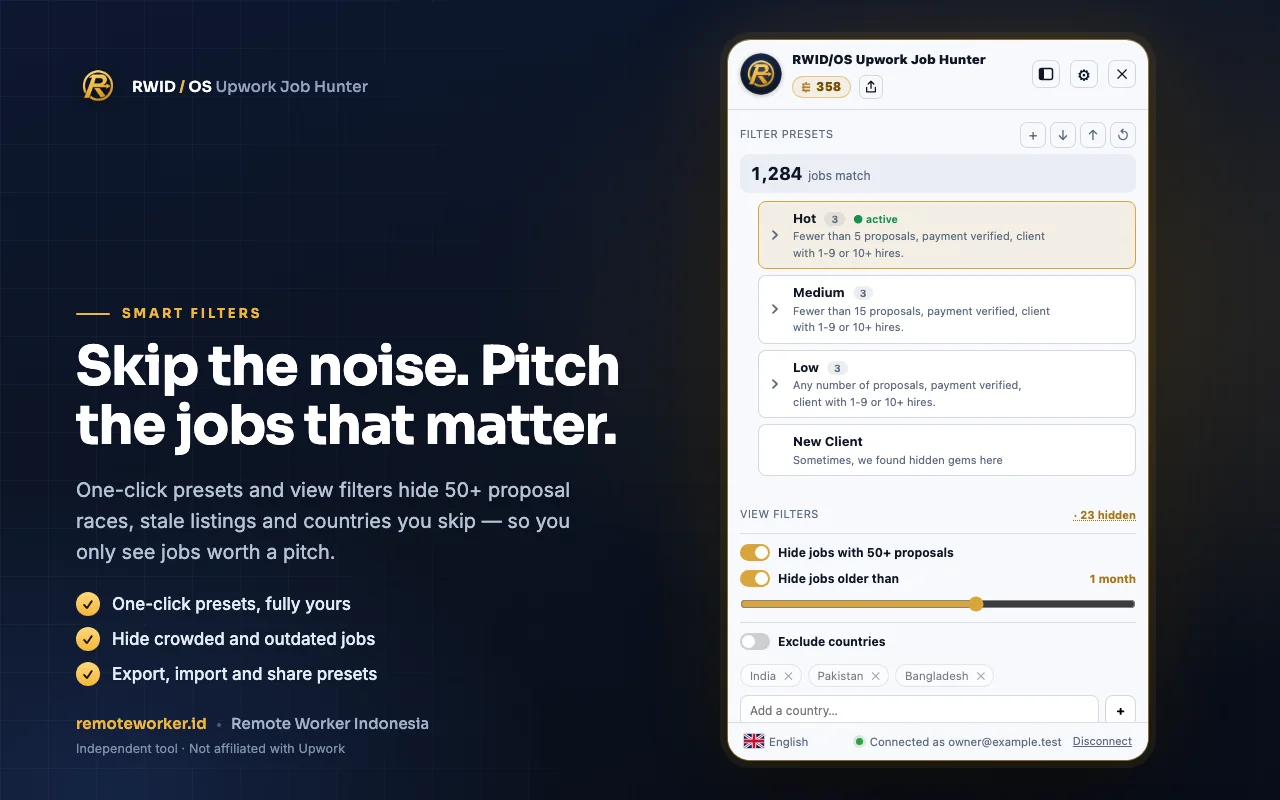
One-click presets hide jobs with 50+ proposals, stale listings, and countries you skip. Presets can be exported, imported, and shared.
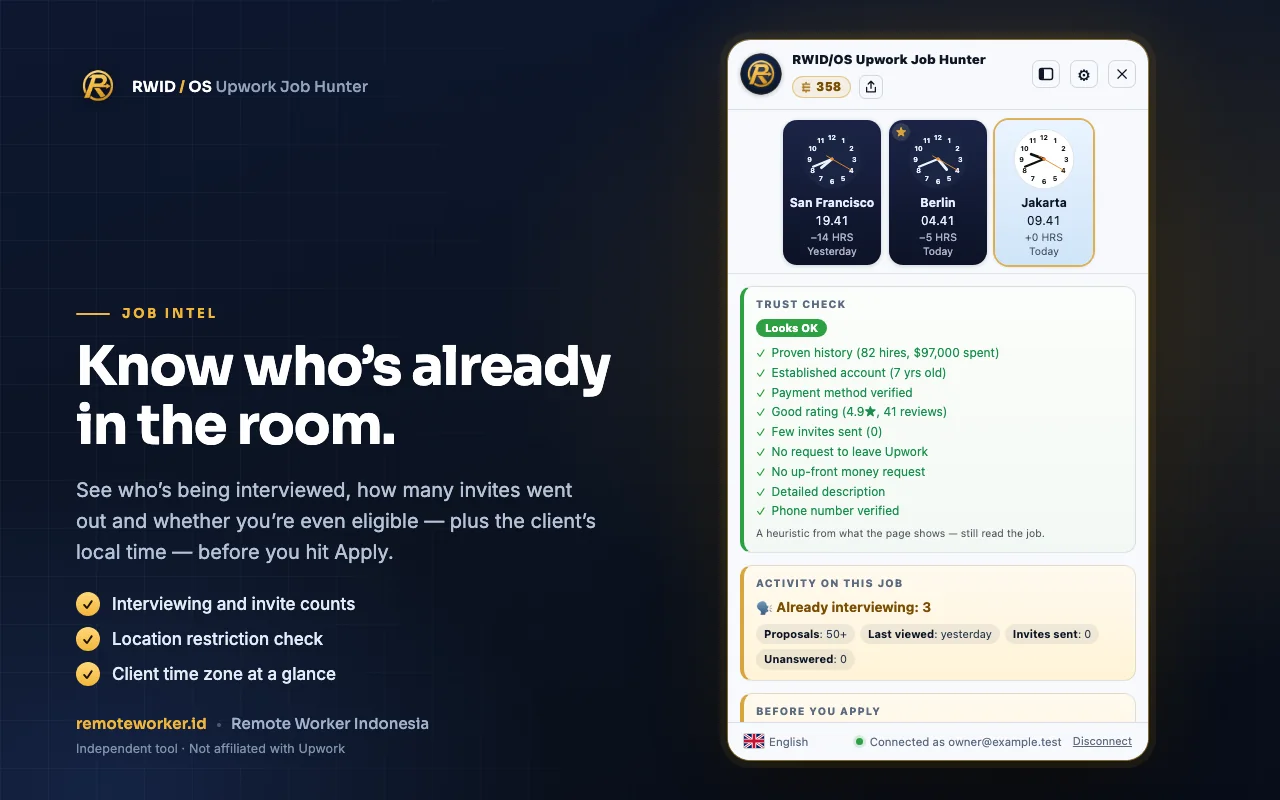
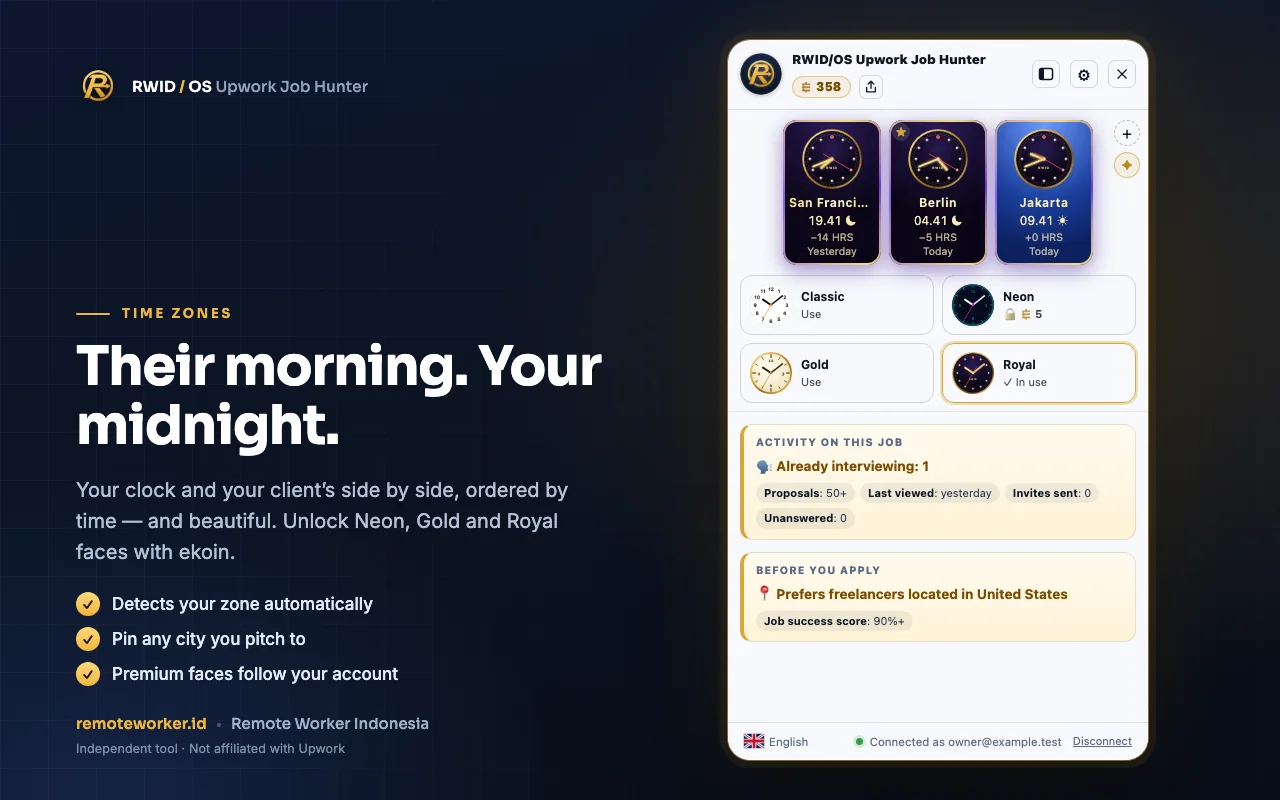
How many people are being interviewed, how many invites went out, whether you meet the location requirement, and what time it is for the client, before you press Apply.
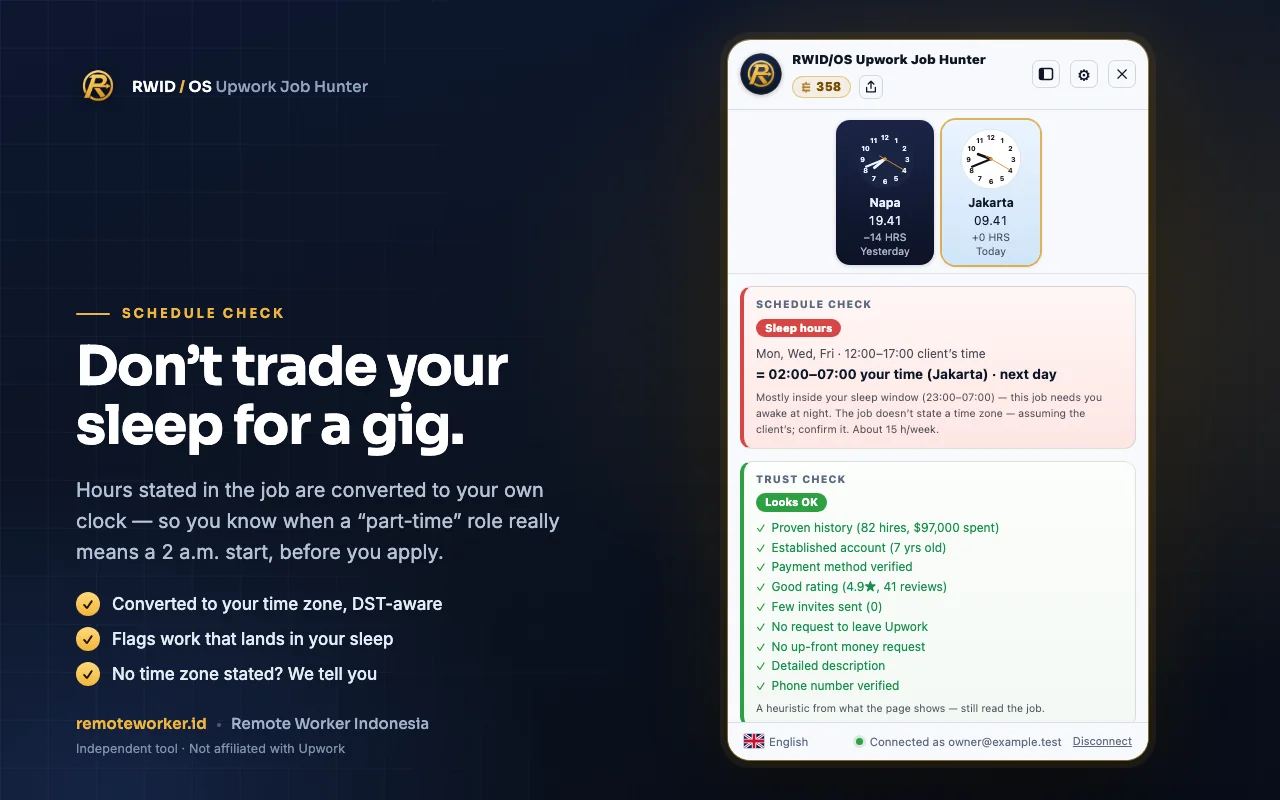
Working hours stated in the job are converted to your local time, DST-aware. You see when a part-time role actually starts at 2 a.m., and you are told when no time zone is stated.
Your clock and your client's side by side, ordered by time. Your zone is detected automatically, cities you often pitch to can be pinned, and premium clock faces unlock with Credit.
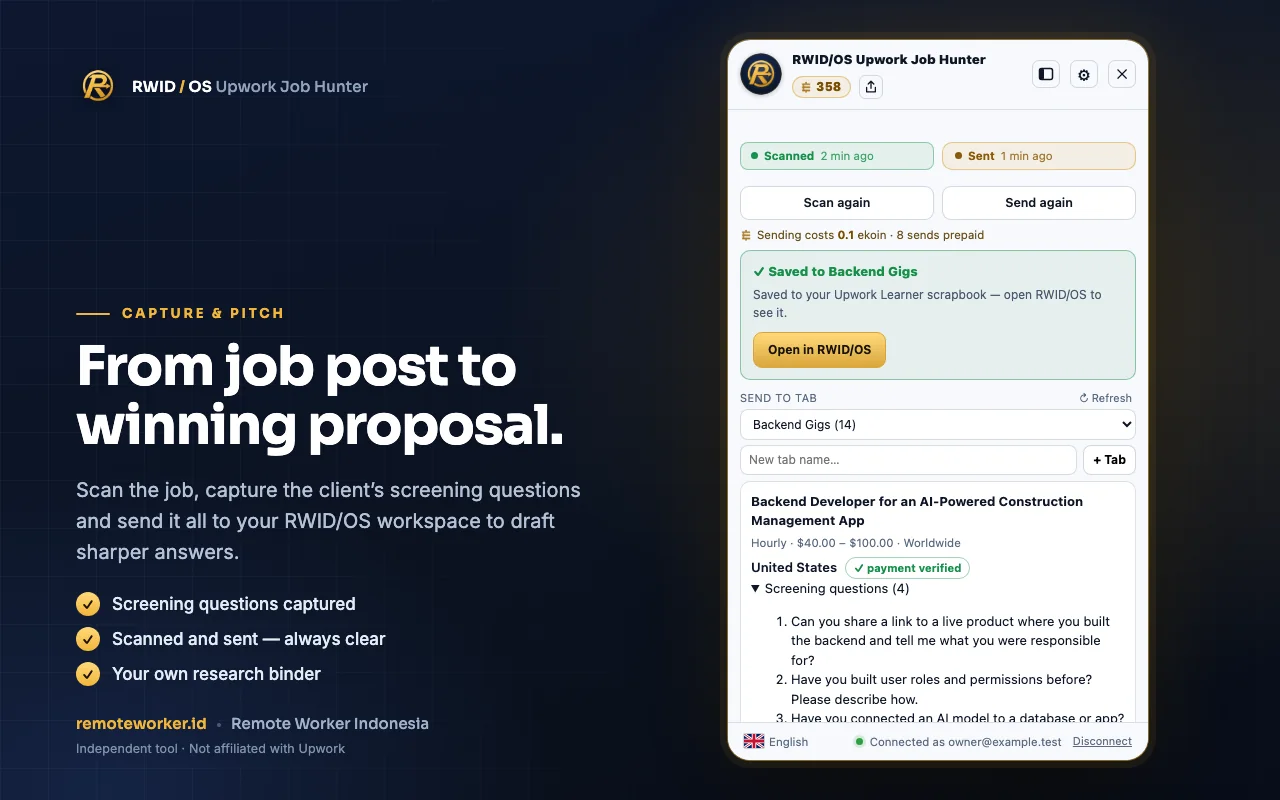
Scan the job, capture the client's screening questions, then send everything to your RW/ID OS workspace to draft sharper answers. It is all kept as your own research binder.
Add it from the Chrome Web Store. Free.
Sign in with Google. The one-time activation is paid with Credit; the welcome Credit for new accounts covers it.
The RW/ID panel appears on job and profile pages. It only works when you press its button.
The extension is free to install. Credit is used for just two things: a one-time activation and sending jobs to RW/ID OS.
The extension does nothing until you start a capture. Data goes only to your own RW/ID OS account over HTTPS, with no trackers and no ads. It only reads Upwork pages and remoteworker.id.
Read the full privacy policy →No. Upwork Job Hunter is an independent tool built by RW/ID and is not affiliated with Upwork.
The extension never asks for your Upwork password. It reads the pages you open, and you decide for yourself whether to apply.
Installing it is free. The one-time activation is paid with Credit, and new accounts receive a welcome Credit that covers it.
English, Indonesian, Malay, German, French, and Arabic.
Currently Google Chrome on desktop.
Free to install. Open one Upwork job and watch the panel work.